
Choisissez votre localisation
Sélectionnez votre localisation et votre langue pour la meilleure expérience sur notre site internet
Sélectionnez votre localisation et votre langue pour la meilleure expérience sur notre site internet

Without change there’s often no room for innovation or improvement. That’s why it’s important to evaluate your label printing system and process regularly to look for ways to be better. One of the most important aspects of your barcode label printing system is your printing process – it’s the key to your finished product. Here are three ways TEKLYNX software can help you print barcode labels…better.
One of the first major steps to take when you’re looking to print barcode labels more efficiently is seeking out ways to eliminate manual steps in your barcode label printing process. One way of kick-starting that is with triggering print jobs from devices that are currently a part of your labeling environment. With device integration, variable data is printed on barcode labels automatically, eliminating any need for manual data entry.
PortWatch, a feature in CODESOFT, allows you to collect data from several devices such as:
Triggering a label print job from a device creates a greater level of efficiency that ultimately reduces manual error and increases print speed in your barcode label printing system.
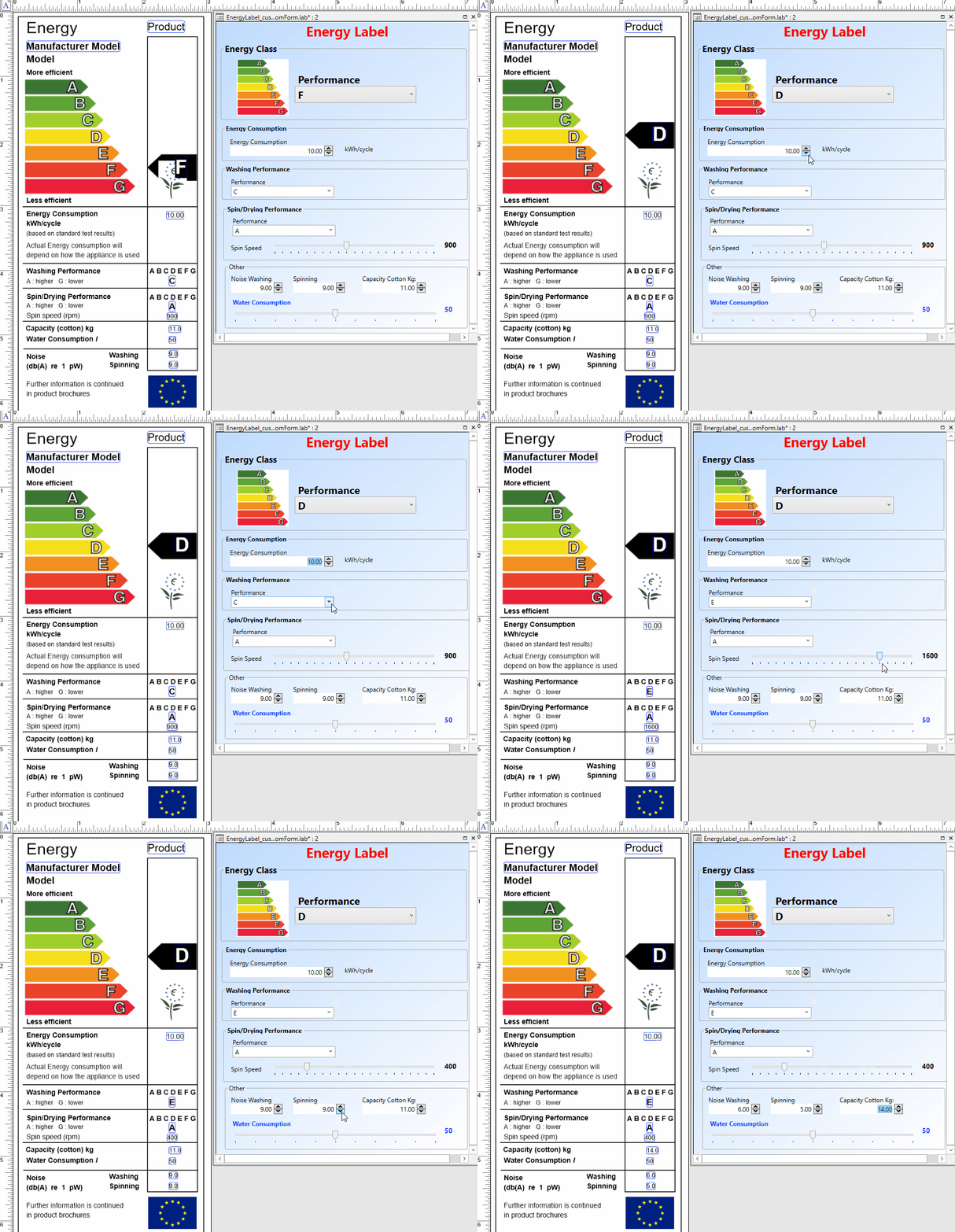
Customizing your print-time form with Form Editor reduces label errors and helps enforce your ideal printing process. Form Editor is built within your label designer and allows you to enforce data entry rules for your print users, ensuring that your data is formatted correctly 100% of the time.
Use Form Editor to add:
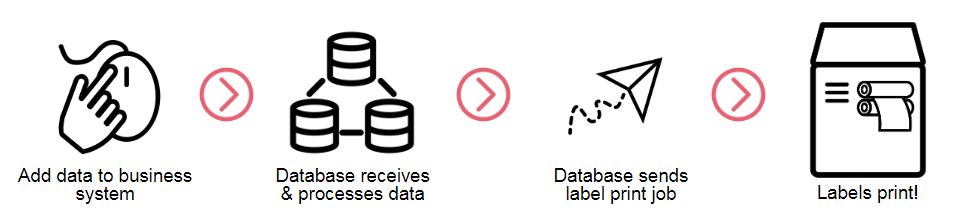
Set up your barcode label printing system to monitor a database to populate variable data and automatically print barcode labels – without any human interaction necessary. Having your barcode label printing process fully automated with your business system means less time spent interacting with your label designer.
How does it work?
Leverage these three ways to print barcode labels better to get your finished product out the door more efficiently.
To learn more about how to print barcode labels better, get in touch with TEKLYNX today!
Anthony Bieniewski is the Operations and IT Manager at TEKLYNX. Anthony uses his 15+ years of experience in IT infrastructure and security to continue to move TEKLYNX forward with efficient and secure processes and tools. He also leverages that experience in mentoring and coaching TEKLYNX’s support team so that they can continue to pursue best practices when helping our customers barcode better.
Everyone wants to do better. Whether it’s improving your health, career, or home, there’s always room to do things better. Well, what if I told you there’s a better way to design your barcode labels?
READ MORE
Custom label printing forms help organizations streamline data entry, reduce printing errors, and create a more efficient labeling workflow. By separating label design from label printing, businesses can give users a simpler, controlled experience while ensuring labels are printed accurately every time.
READ MORE
Are you tired of paying more for your label design software every time you add a printer? You don’t have to!
READ MORE© Copyright 2026 TEKLYNX CORPORATION SAS. Tous les droits sont réservés.
What do you think? Leave us a comment.
Comments will be reviewed and are subject to TEKLYNX’ comment policy. Your email address will not be published publicly.