

Inefficient label printing leads to wasted materials, lost time, higher costs, and added environmental impact. Label misprints due to human error or outdated processes can slow down production, frustrate teams, and even delay shipments.
Lean labeling helps eliminate this waste, streamline operations, and improve your return on investment (ROI). The result is a smarter, more sustainable labeling environment that reduces costs and supports long‑term growth.
Download eBook: Achieving Lean Labeling Success
In this blog, we’ll discuss how to eliminate waste in label printing by showing you five basic steps to optimize your labeling environment with lean labeling practices.
Lean labeling is a method to minimize waste within a label printing system without sacrificing productivity.
If your current labeling environment looks like a scattered mess, you’re not alone. 100% of respondents from a TEKLYNX poll said their labeling environment was not completely lean—while 43% of respondents said they needed to make significant improvements to have a lean labeling environment.
So how do you actually achieve lean labeling? It starts with five practical steps.
 Step 1: Identify waste
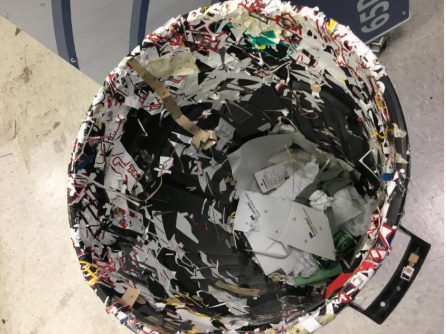
Waste can take many forms in the labeling process—from misprinted label stock that gets thrown out to wasted time when staff has to manage thousands of label files. Waste typically comes from one of these areas in a label printing environment:
Once waste in the label printing process has been identified, it’s time to take a closer look at why it’s happening. Ask yourself (or your team) these seven questions about your company’s labeling:
Solving the root cause of label printing waste doesn't have to be difficult.
If the waste was due to maintenance, consider:
If the waste was due to the process, consider:
If the waste was due to inaccurate labels, consider:
Key performance indicators (KPIs) are excellent tools to show the results of a lean labeling initiative. KPIs provide concrete numbers you can use to determine if your project was successful in reducing waste or not. Simply calculate these KPIs and share them with your boss to prove the value and ROI of your project.
Here are some example KPI targets*:
*KPIs and target values developed by Dave Klement, Principal at Efficient Business Integrators.
Move on to the next source of label printing waste and repeat the lean labeling process.
Freelin-Wade has more than 4,000 stock items and infinite custom products that require proper labeling. Their existing end user interface was confusing, resulting in high error rates and increased customer returns. A lack of integration between their label design software and existing business systems also left the door open to errors.
Freelin-Wade wanted to consolidate disparate systems with one centralized enterprise label printing software solution. They decided on TEKLYNX CENTRAL to combine barcode label design, automated label printing, and label approval into one single solution.
After installation, Freelin-Wade saw a 50% reduction in labeling errors, resulting in an equal decrease in expensive customer returns. The label preview reinforced a key tenet of lean manufacturing—visualization. The visual cue helps users make the right choice, and average daily label waste dropped from 20% to less than 1%. The centralized labeling system also led to faster installations, upgrades, and label definition for each workstation.
Are you ready to reduce label printing waste and have a lean labeling environment?
Travis Wayne is the Product Manager at TEKLYNX. Travis applies his 20+ years of IT and health sciences experience to empower businesses to streamline operations and barcode better by applying software and technology. He works to continually improve TEKLYNX strategic planning, product and project management principles, and cross-functional communications. When not working, he enjoys many outdoor activities with his wife and two children.
When you need to print a label, how long does it take to find the correct file, populate the correct data, and start the print job? If you’re not leveraging the power of variable data on smart label templates, it could take several minutes just to find the right label file!
READ MORE
Leveraging your existing Excel spreadsheets in your label printing process can help you save time, save money, and maximize your efficiency.
READ MORE
As our world moves towards a digital transformation, automation is a crucial tool for a thriving business. By automating processes, companies can make their workflows faster and more efficient, enabling them to do more with less. This blog will go over how to automate your label printing and how TEKLYNX can help in providing solutions.
READ MORE
What do you think? Leave us a comment.
Comments will be reviewed and are subject to TEKLYNX’ comment policy. Your email address will not be published publicly.